What features should a contractor CRM actually have?
The ten CRM features that genuinely help a small trades business move a customer from lead to quote to job to review — and the ones you can ignore.
A contractor CRM shouldn't simply be a database of customers. For a small trade business, the most useful features are the ones that help move someone from lead, to quote, to follow-up, to job, to review.
The ten features worth paying attention to
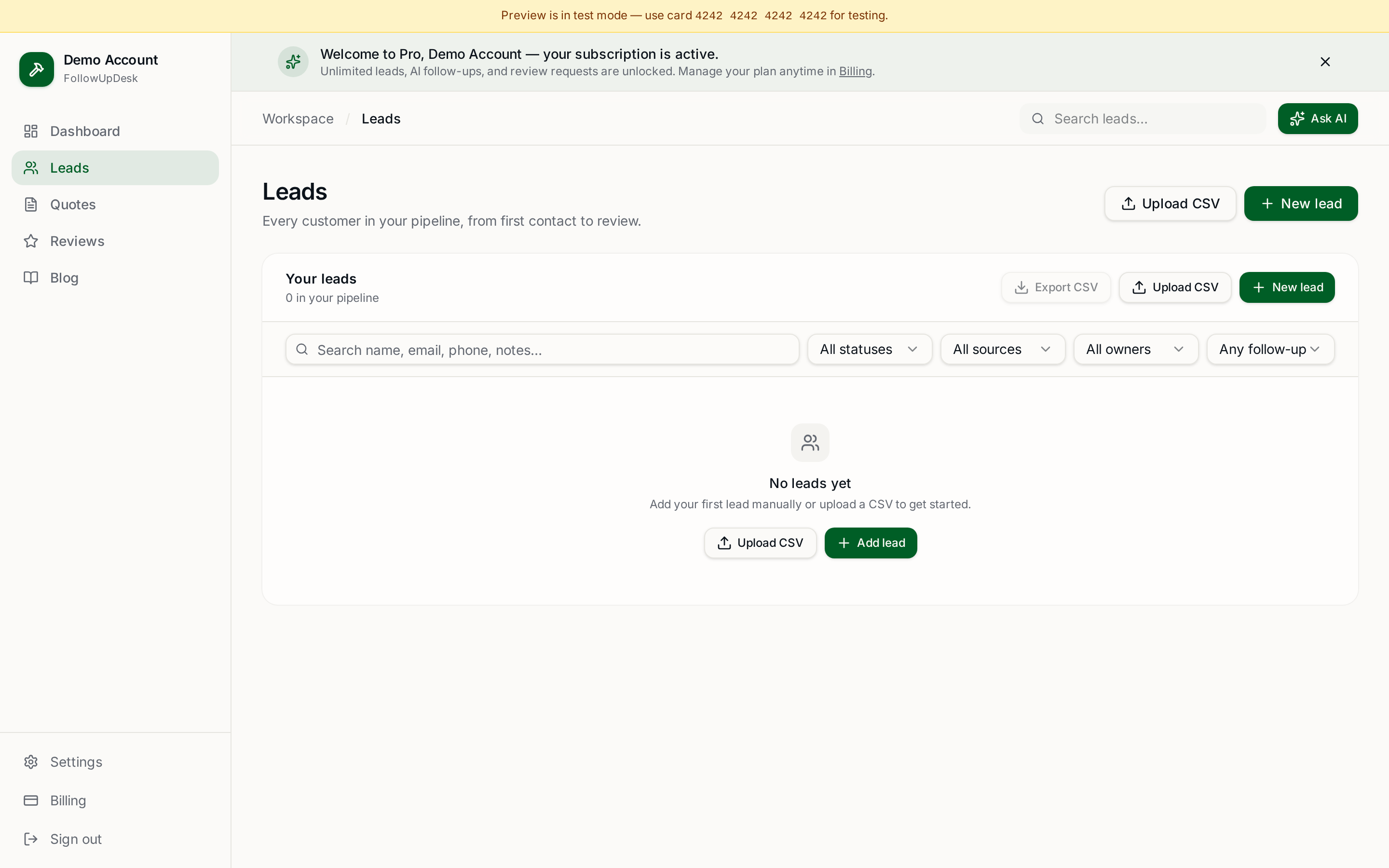
- Lead tracking. Every lead should have a clear place in your pipeline.
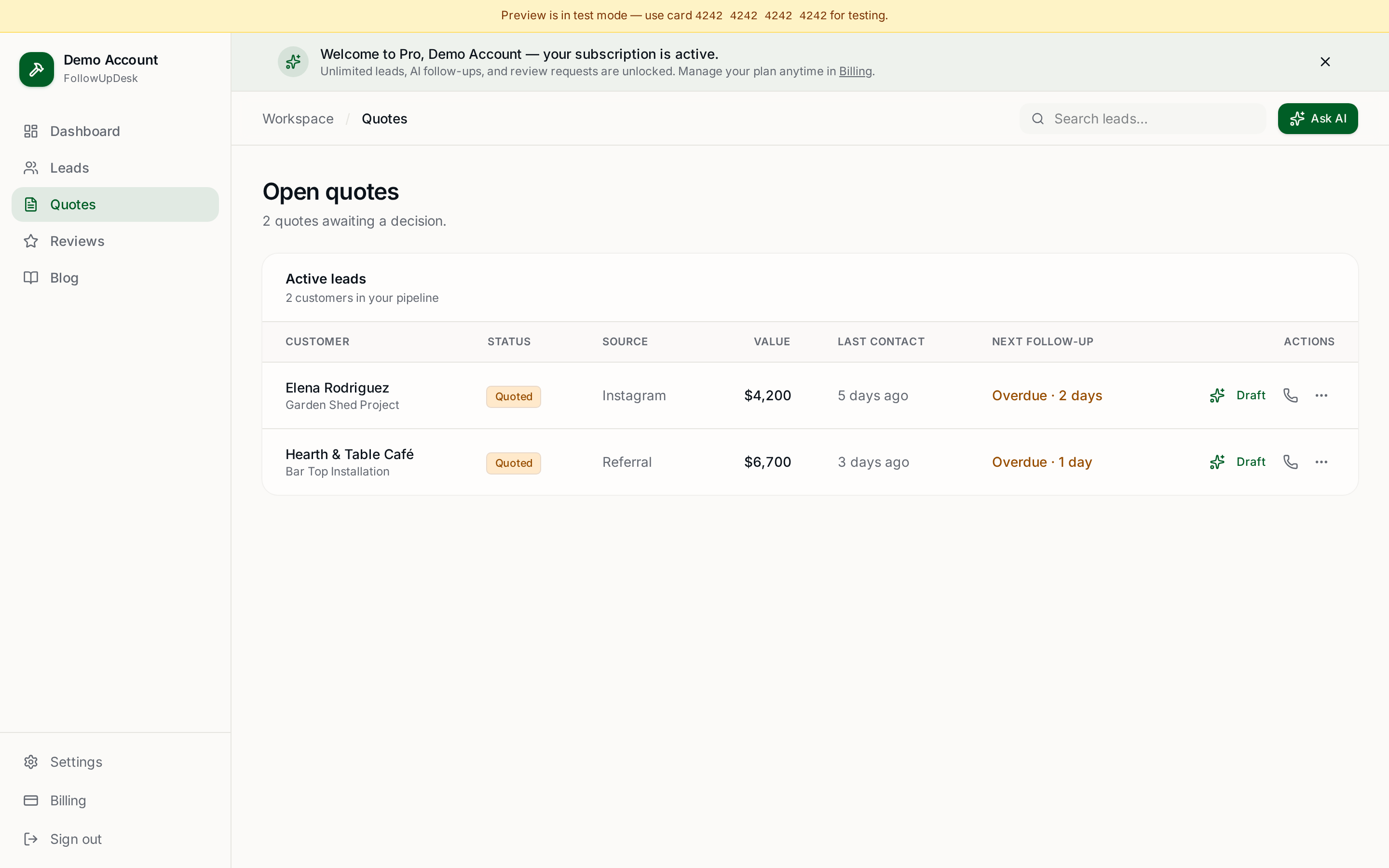
- Quote tracking. You should see every open estimate and its value.
- Follow-up reminders. The system should tell you who needs attention today.
- Automated follow-up. For repetitive follow-up, automation prevents good leads from going cold.
- AI message generation. AI can draft messages so contractors don't have to become copywriters.
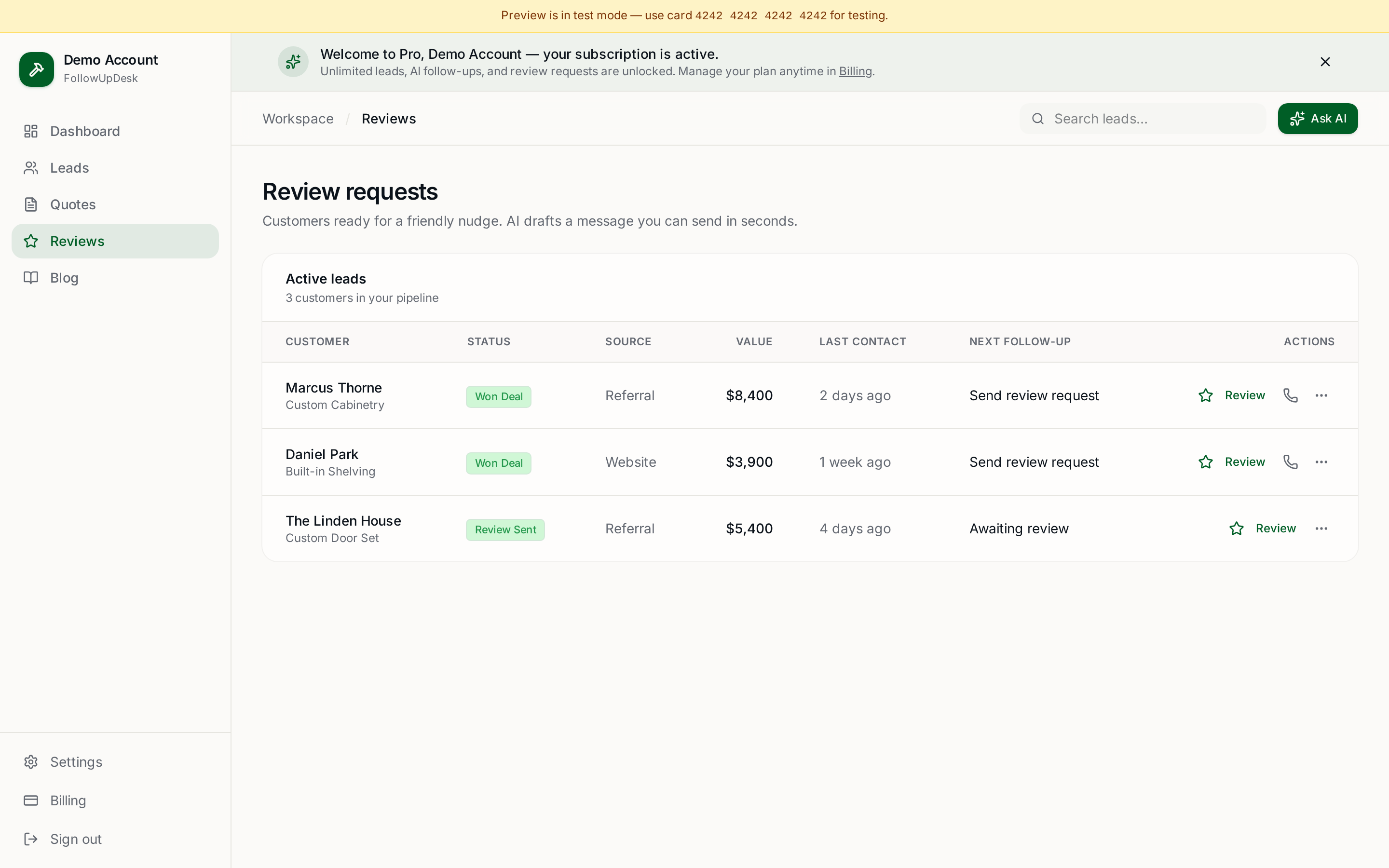
- Review requests. A completed job shouldn't be the end of the customer relationship.
- Mobile access. Contractors work on job sites, not in offices.
- Simple pricing. Small businesses shouldn't need to decode five pricing tiers.
- Import and export. You should be able to bring existing leads in and take your data out.
- Revenue visibility. The CRM should answer: how much work is currently sitting in my pipeline?
What isn't necessarily important?
You probably don't need 300 custom fields, enterprise permissions, six dashboards, complicated workflow builders, months of onboarding, or features designed for a 500-person sales department.
For many small contractors, simplicity is a feature. A CRM you actually update every day beats a powerful one you abandon in week three.
Where FollowUpDesk fits
FollowUpDesk focuses specifically on lead tracking, quotes, follow-up, reviews and mobile access, rather than trying to become a full field-service management platform. It's $29/month with unlimited leads and no per-user pricing.
See it in FollowUpDesk
Get started — $29/mo →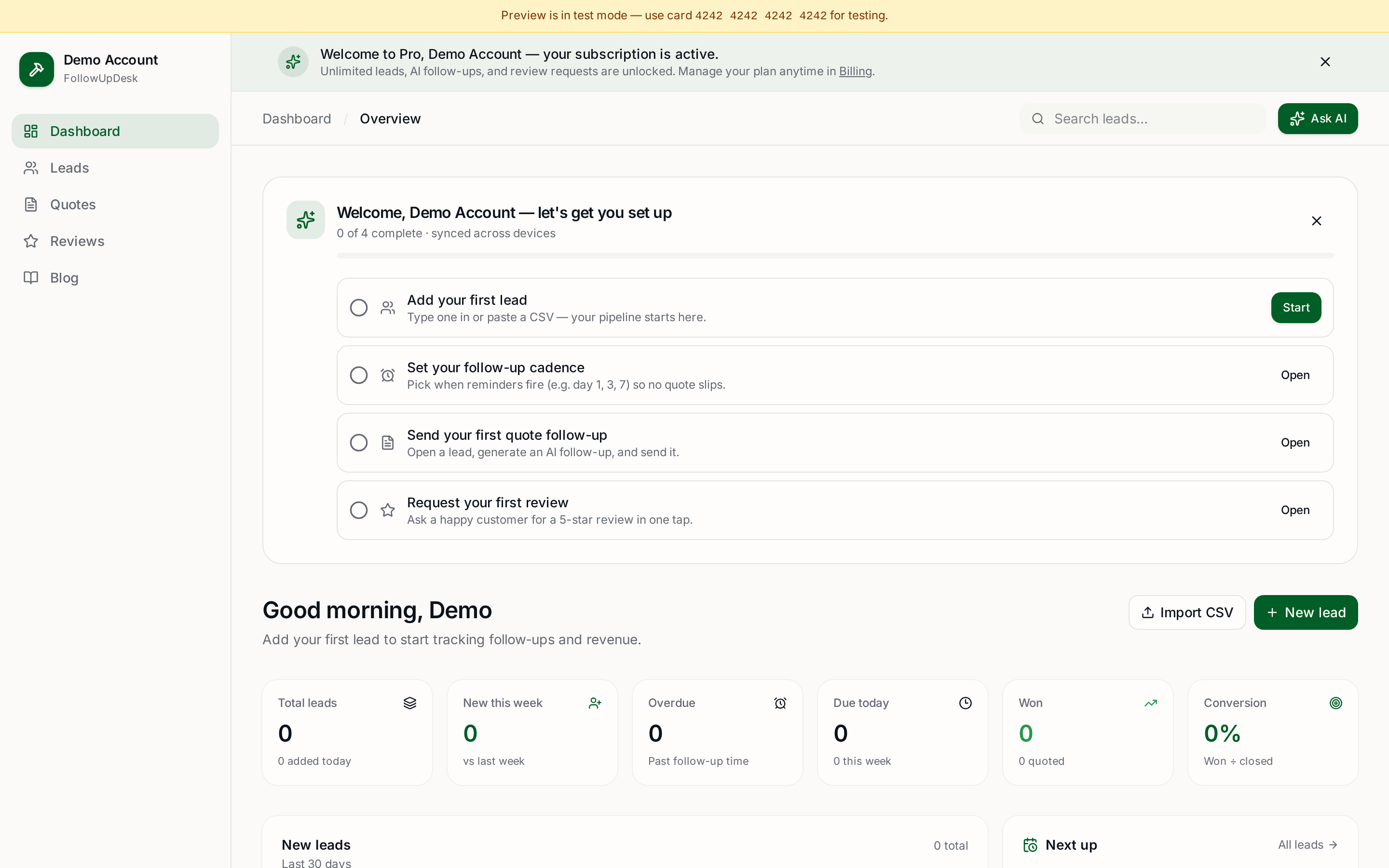
Skip the manual work — these are free, no card required
Frequently asked questions
What features should a contractor CRM have?▾
Lead tracking, quote tracking, follow-up reminders, automated follow-up, AI message drafting, review requests, mobile access, simple pricing, import/export, and pipeline revenue visibility.
What CRM features do small contractors not need?▾
Hundreds of custom fields, enterprise permission systems, complex workflow builders and long onboarding. They add setup cost without helping you follow up on quotes.
Is FollowUpDesk a CRM?▾
Yes. FollowUpDesk is a lightweight CRM designed for contractors and trades businesses, covering leads, quotes, customers, follow-ups, AI-generated messages and review requests.
Does FollowUpDesk replace field-service software?▾
Not entirely. It focuses on lead and quote follow-up rather than scheduling, dispatch and invoicing, so some businesses use it alongside a scheduling tool.
Get the full FollowUpDesk CRM — $29/month
One pipeline for every lead, AI follow-ups for every quote, review requests on autopilot. Cancel in one click.
Free tools require no card · Pro is $29/month, cancel anytime